Your docs.
A better developer
experience.
Keep your docs site. Add content search, cited AI answers, reading analytics and page feedback with Spronta. A connected developer experience without a platform migration.
Keep your framework, domain and publishing workflow.The right answer starts with the right page.
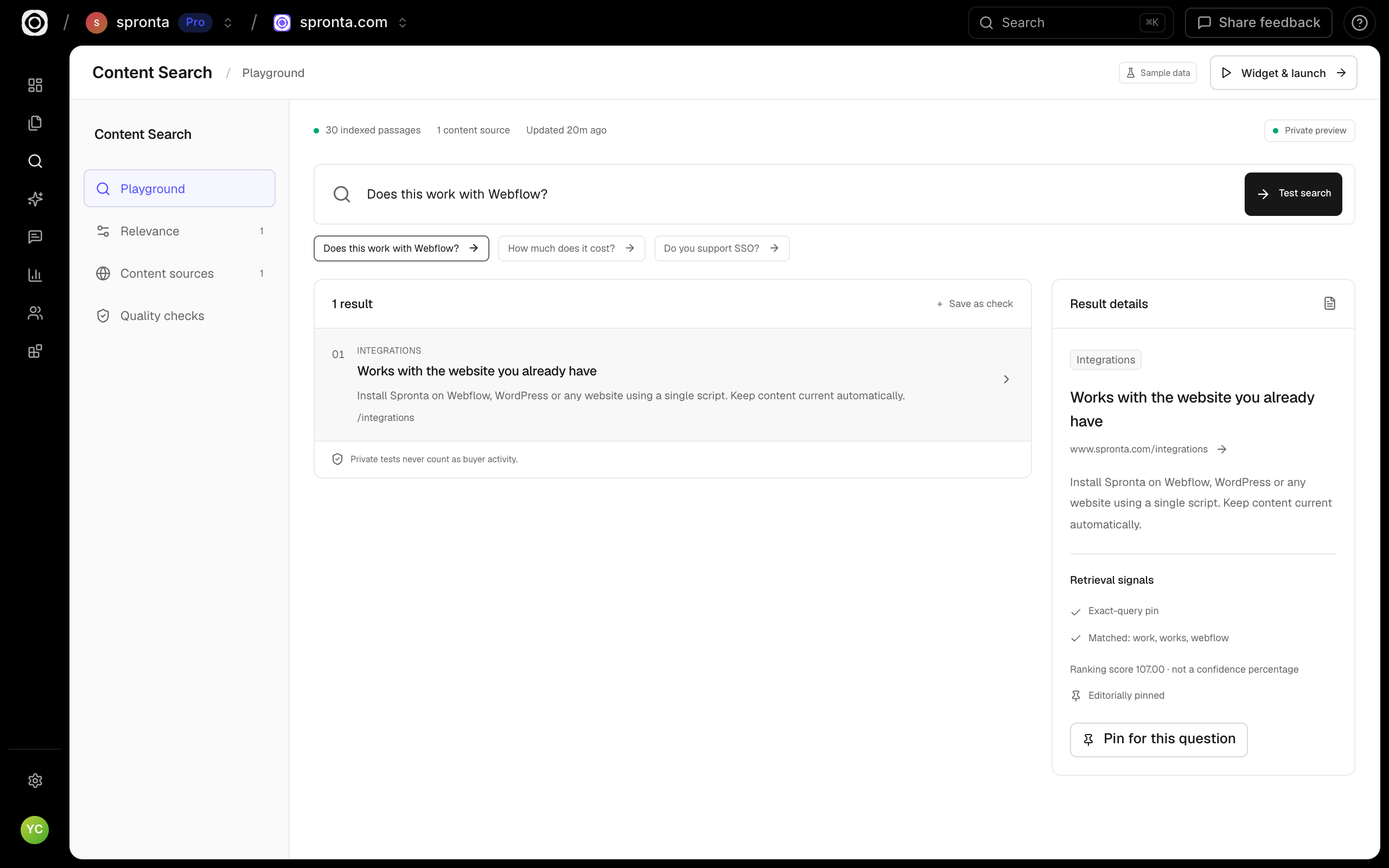
Search your published guides, tutorials and reference pages in one place. Tune synonyms, pin a getting-started guide and test the questions developers actually ask.
- Hybrid search over your existing content
- Inspect matching passages and ranking signals
- Private quality checks before you publish
Let your docs join the conversation.
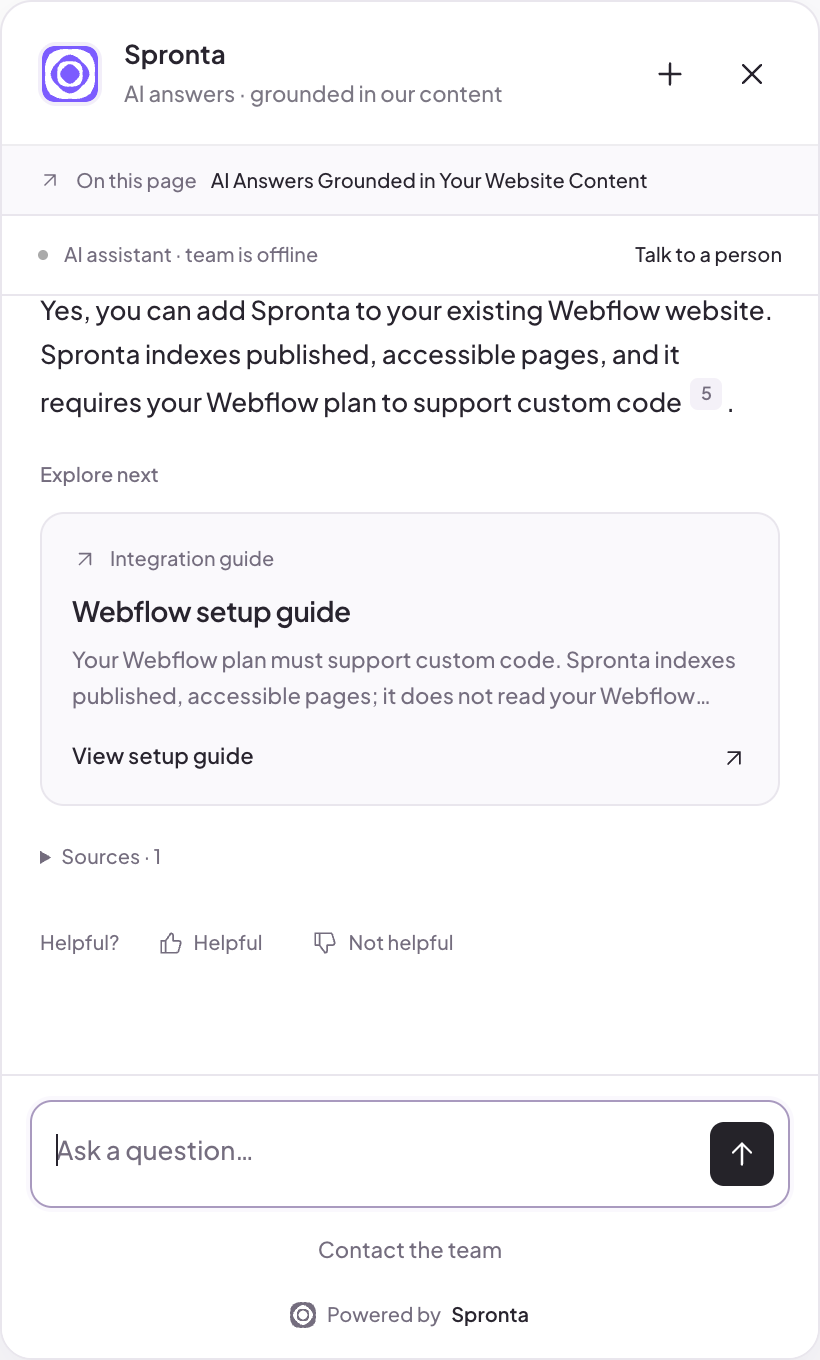
Give developers a page-aware assistant grounded in your content. They can ask about the guide in front of them, follow the cited sources and move to a useful next resource.
- Page-aware questions and cited sources
- Approved Q&A for your most important answers
- Team messages and human handoff when needed
See where understanding breaks down.
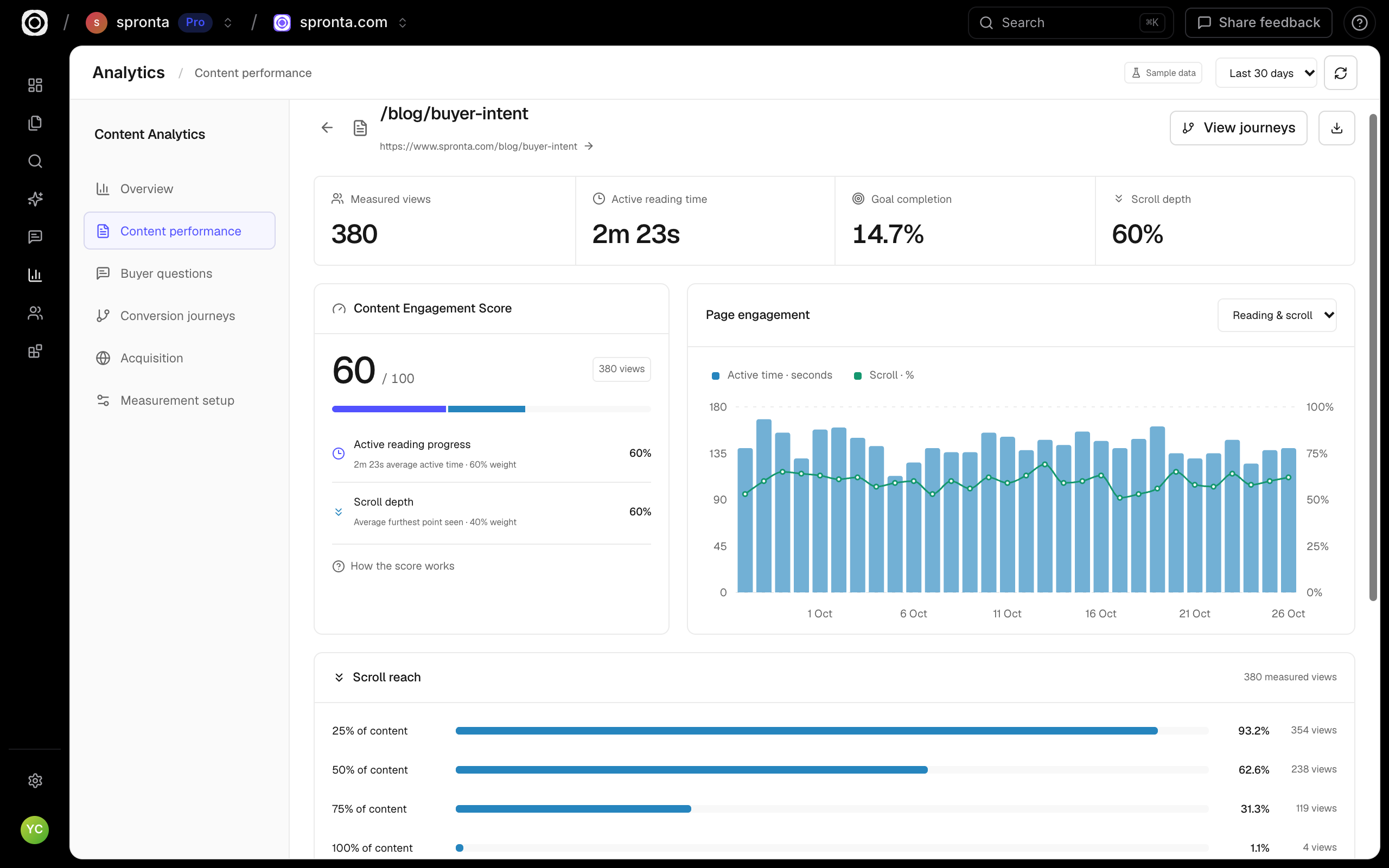
Explore content by active reading time, scroll depth and Content Engagement Score. Connect the guide to the questions, feedback and measured next steps in the same session.
- Reading and scroll signals, not just clicks
- Content-level exploration and visitor journeys
- Goal events from your own signup or success flow
Every guide.
A feedback loop.
Put a helpfulness vote or star rating at the end of an article. Let readers say what’s unclear, outdated or missing — then see it alongside the page’s engagement and the visitor’s journey.
- Helpful / not helpful, or five-star ratings
- Optional reasons and comments
- Page-level trends and responses in Content Analytics
How useful is this use case?
This is the actual widget. Your rating is saved to this page’s content analytics, subject to your privacy settings.
Reading signals estimate attention. Ratings measure opinion. We keep them separate.You don’t need to move
your docs to improve them.
Your docs + Spronta
Keep your own Astro, Docusaurus, Next.js or other published docs site. Spronta adds hosted search, Answers, content engagement and reader feedback through embeddable widgets.
Estimate your Spronta plan & usage ↗Your existing hosting and maintenance costs remain. AI answers and searches use your workspace allowance; analytics availability follows your workspace terms.Mintlify Pro
$450/month, billed annually$5,400 per year, or $540/month on monthly billing. Mintlify also offers a free Starter plan. Pro combines its docs platform with AI features and other tools.
Mintlify pricing ↗Checked 26 October 2026. This is not a like-for-like replacement for its editor, hosting, API playground, automations or enterprise security. Compare the capabilities and total cost you actually need.Our docs are the demo.
Search our guides, ask a page-aware question, read the answer and rate the page. The same session connects it all in Spronta.