Your content.
Now taking questions.
An AI assistant for your website, trained on the content you choose. It answers visitor questions, links to its sources and lets your team join the conversation. Fewer repeat explanations. More useful conversations.
Your website. Your content. Your brand.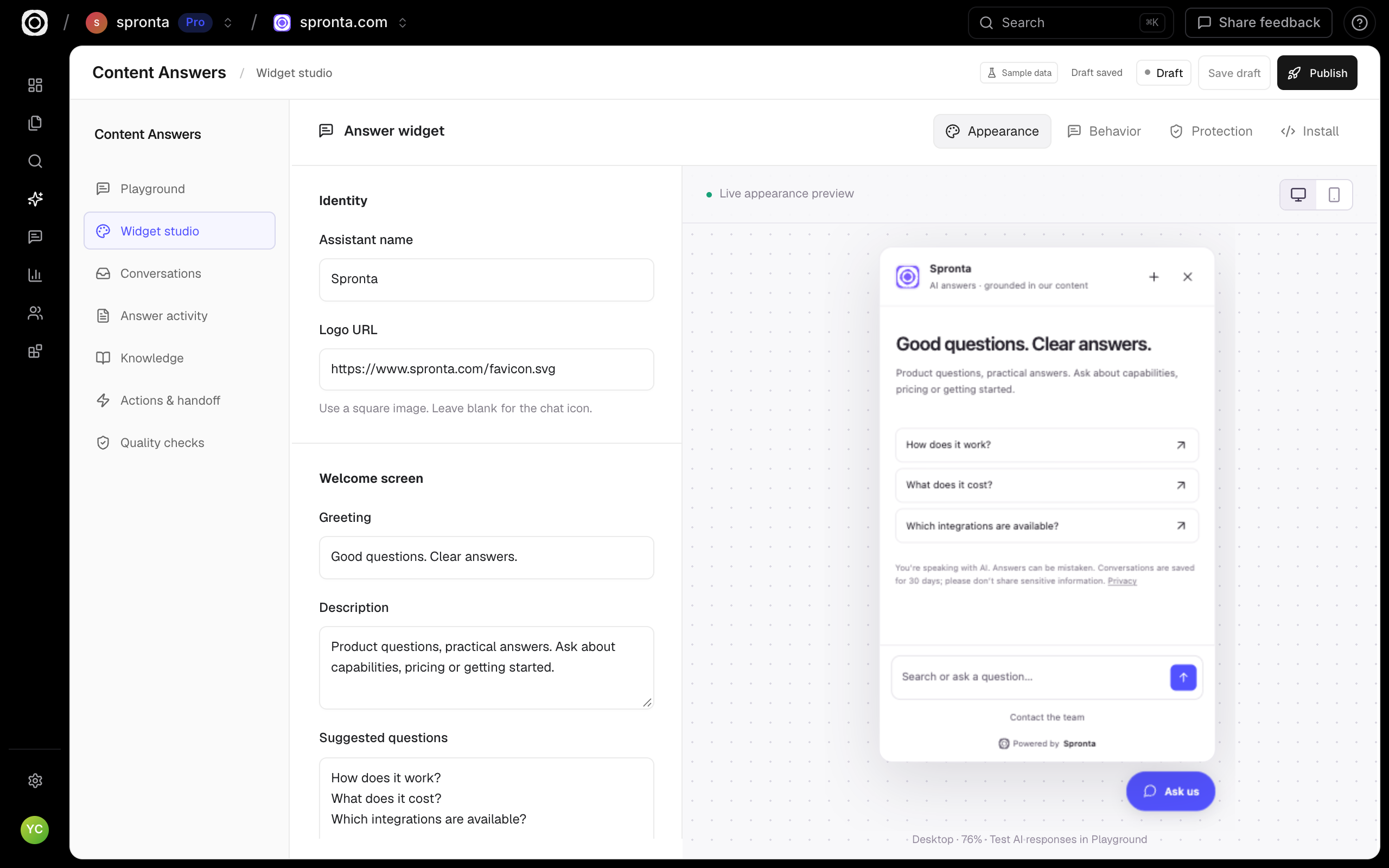
An answer is better with somewhere to go next.
Meet the buying question.
Help visitors asking about integrations, implementation, or how your product fits their team.
Show where it comes from.
Give answers with source links, so readers can explore the detail behind the explanation.
Keep discovery moving.
Put relevant content alongside the answer. Buyers can keep exploring instead of starting over.
The explanation. The source. The next useful page.
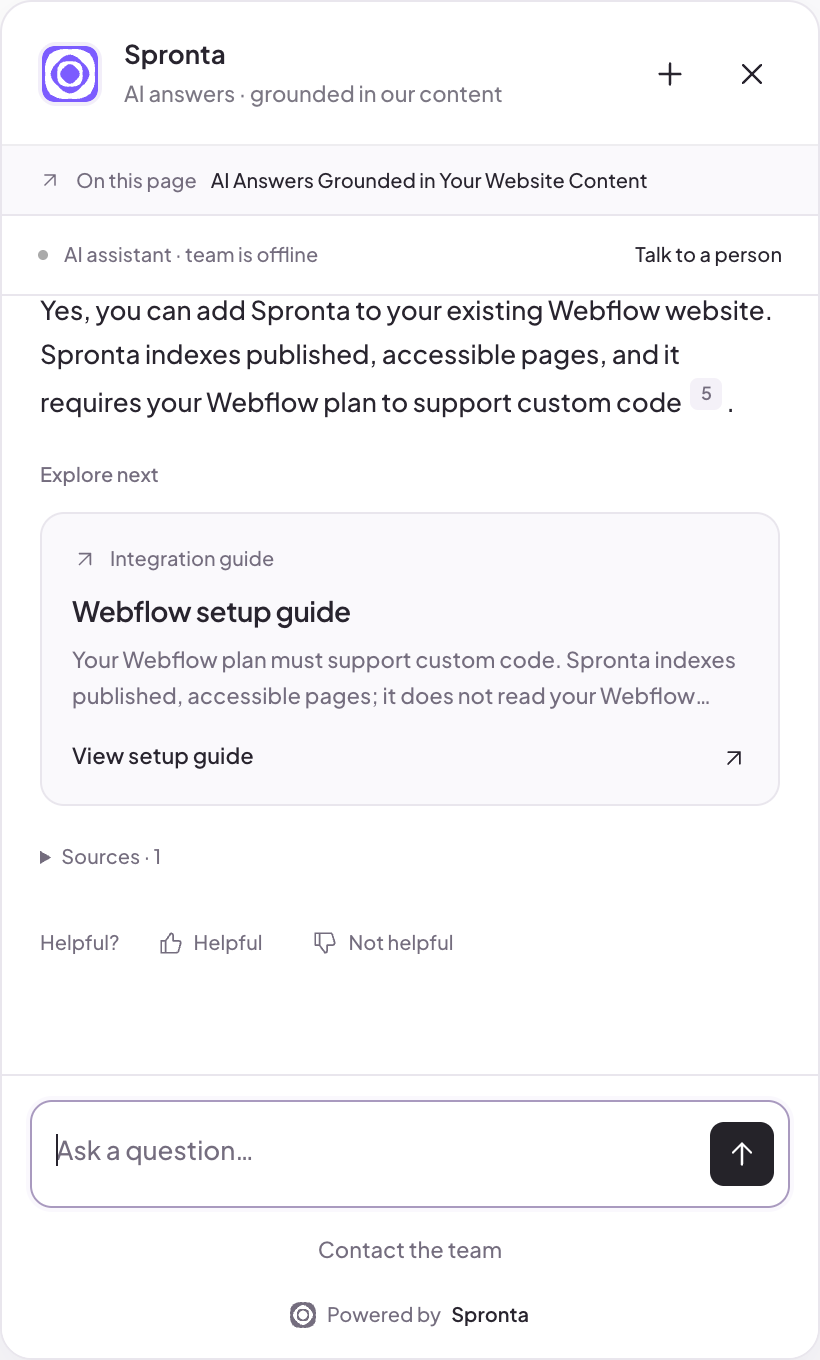
This is the actual Spronta assistant answering a Webflow question. It cites the setup instructions and brings the relevant guide into the conversation, instead of leaving the buyer at a dead end.
- Page awareness gives the question context
- Citations stay linked to the supporting content
- Proof cards lead to relevant resources
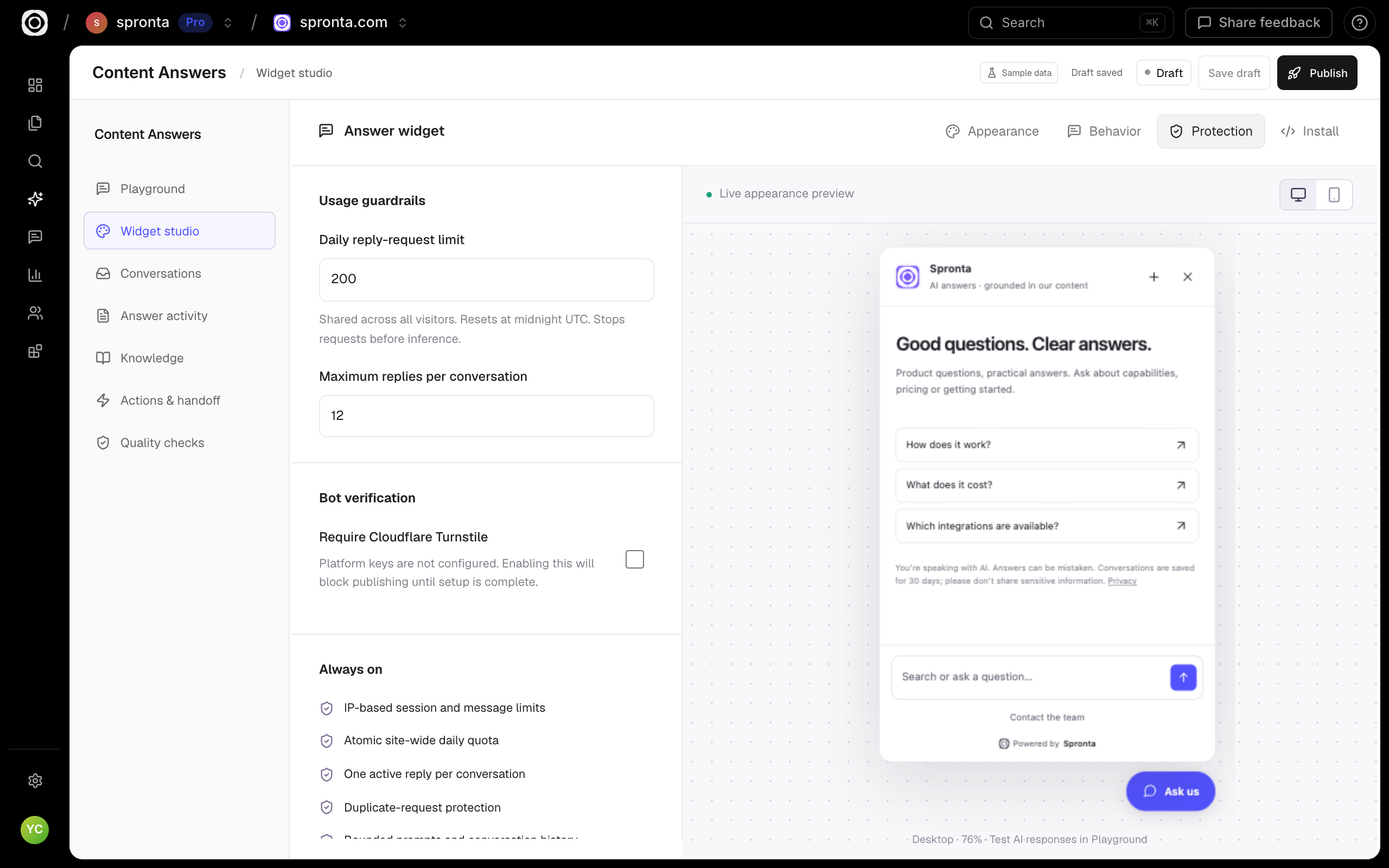
Useful conversations. Sensible boundaries.
Set a daily reply-request budget and a conversation limit before you go live. Add optional Cloudflare Turnstile verification when you have configured its platform keys.
- Daily caps checked before AI inference
- Per-conversation reply limits
- Optional bot verification, explicitly configured
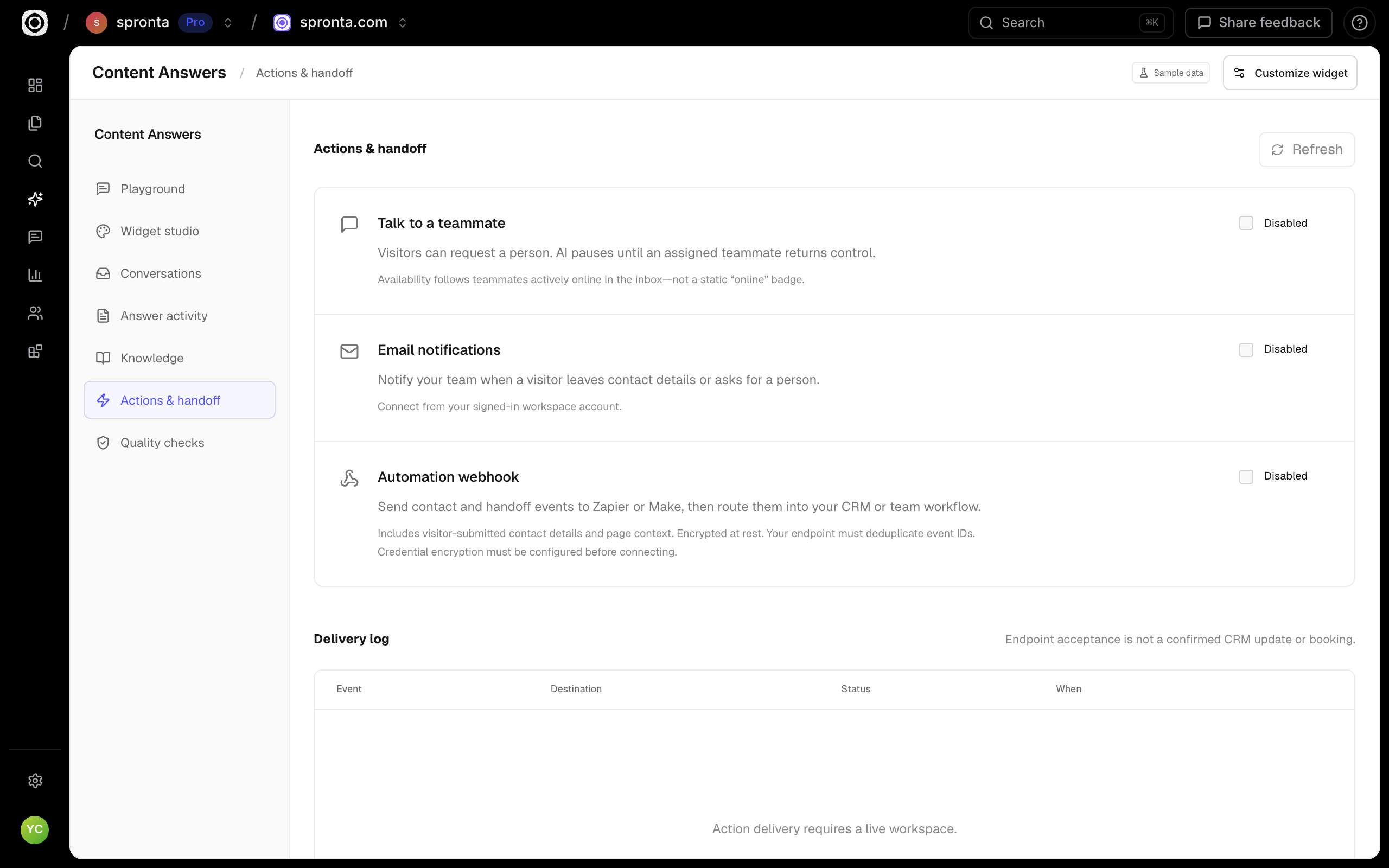
A handoff that actually hands over.
A visitor can ask for your team without starting again. Queue the conversation, pause AI while a teammate replies, and notify your team when someone needs attention.
- Assigned teammate replies and private internal notes
- Email notifications for contact and handoff requests
- Zapier or Make webhooks with delivery status—not a claimed CRM booking
Simple to use.
Room to go deeper.
Teach the details your website misses.
Add approved Q&As, text snippets and readable Markdown or text files. Keep sources in draft, publish them for immediate use, or archive them when the facts change.
Context follows the conversation.
The current page, approximate location, browser and locale help your team understand the visit. Session UUIDs connect page journeys and conversations without fingerprinting.
Your team stays in control.
Take over a conversation, reply as a teammate, add private internal notes and return control to AI. Availability reflects an actively online teammate, not a decorative badge.
Bring your content.
We’ll help it go further.
Find your platform ↗- 01
Connect
Choose your published website and the routes to include.
- 02
Make it yours
Test your content, configure the experience and review the widget.
- 03
Keep learning
Install the snippet and explore real visitor activity.
Your website knows a lot. Let it answer.
For teams answering the same product and implementation questions again. Give visitors an answer drawn from your content, with links they can check and a route to a real teammate.
Shopping around? Fair enough.
Here’s where we fit.
| The useful details | Spronta AI Answers | Chatbase Hobby |
|---|---|---|
| Entry price | $19/month for 1,000 AI replies | $40/month or $32/month billed yearly |
| Usage unit | Each generated reply; failed generations do not count | 700 message credits per month |
| Content and conversations | Website sources, approved Q&As and snippets; source links and human handoff | AI agents with model and channel options |
A Chatbase message credit is not the same unit as a Spronta reply. Models, channels, limits and features differ. Check the plan against the questions you actually need to answer.
Public information checked 27 October 2026. Chatbase pricing ↗
Answers with a price. Upfront.
Choose how many replies you expect each month. No mystery message credits to decipher.
Each AI-generated reply counts once. A conversation can contain several replies. Failed generations do not count.
Compare all product prices ↗Billed monthly. Change your usage level as you grow.
Enter a whole number from 1,000 to 10 billion.
Start with AI Answers →Estimate for this product only. Your selection carries through to signup.
Good questions. Clear answers.
A closer look at Spronta AI Answers.
Can I teach Answers something without editing my website?
Yes. Add an approved question and answer, a text snippet, or a readable text or Markdown file in Knowledge. Draft, live and archived states control what is used. PDF and Word extraction are not currently supported.
What happens when the content cannot support an answer?
The assistant should explain that it cannot find a supported answer and offer the configured contact route. It does not invent a supporting source. Test the questions that matter against your own content before launch.
Can a real person take over?
Yes. Visitors can request a teammate. The request is queued when nobody is available. An assigned teammate can reply in the same widget, with AI paused, then return control to the assistant.
Are these screenshots from the real product?
Yes. Dashboard captures show the actual app with explicitly labelled sample workspace data. The Webflow answer was captured from the live assistant on spronta.com. Screenshots are not interactive conversations; the separate Ask Spronta widget is live.
Can Answers book meetings or update my CRM directly?
Native calendar booking and direct CRM integrations are not currently available. Contact and handoff events can notify your team by email or reach Zapier and Make through a configured webhook. An accepted webhook is not proof of a booked meeting or updated deal.