Site search.
That finds the good stuff.
Add search to your website, docs or blog. Spronta crawls the pages you choose, finds relevant results and gives visitors a search bar that feels like part of your site. Your sitemap can take the day off.
Your website. Your content. Your brand.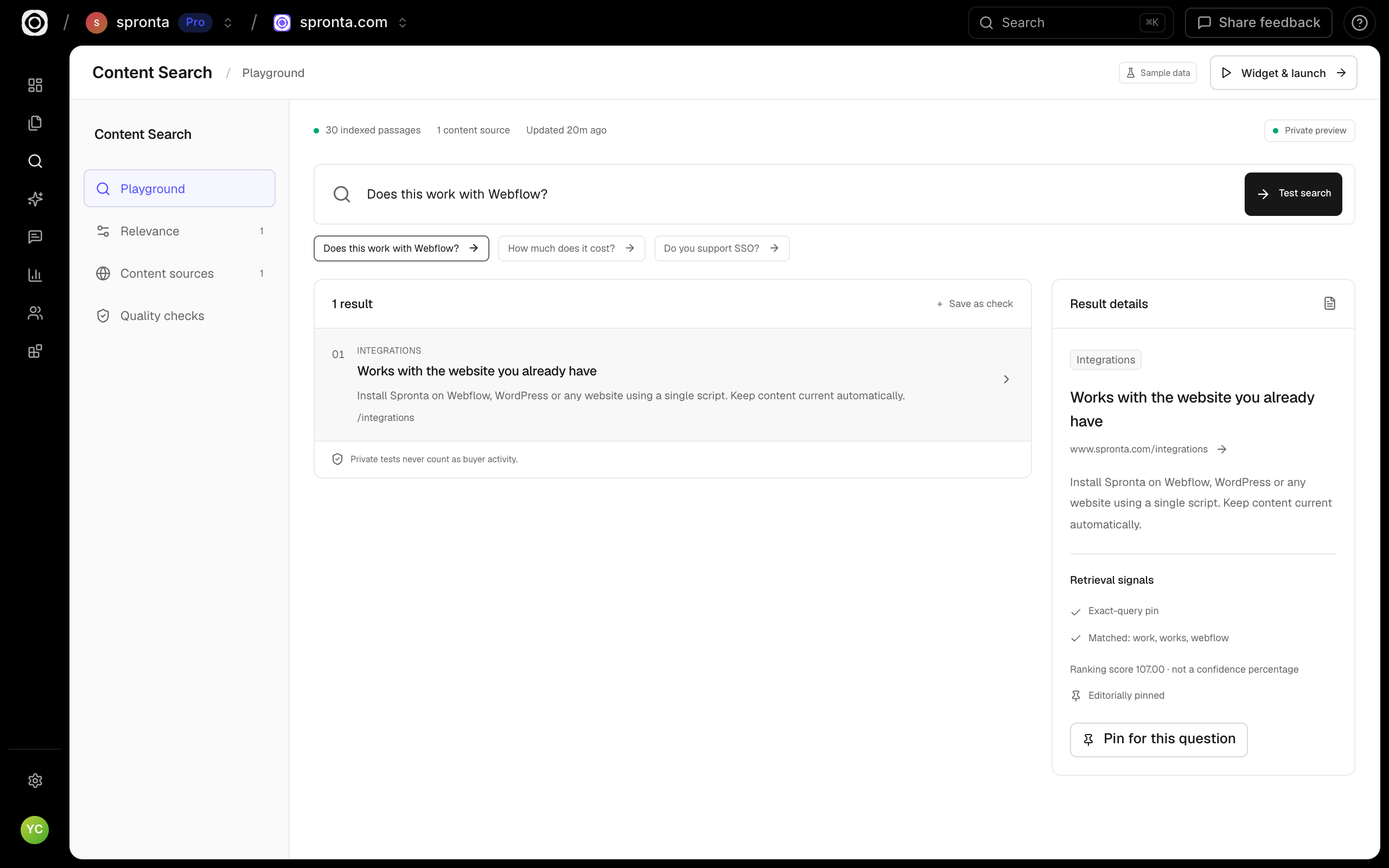
Give every great page a way to be found.
Start with their words.
Buyers bring questions, not your sitemap. Match their intent across your blog, product pages, and docs.
Find the useful part.
Surface relevant passages and links, so visitors can get straight to the content that helps.
Make the next step obvious.
Bring your integration pages, customer stories, and product resources into the same search experience.
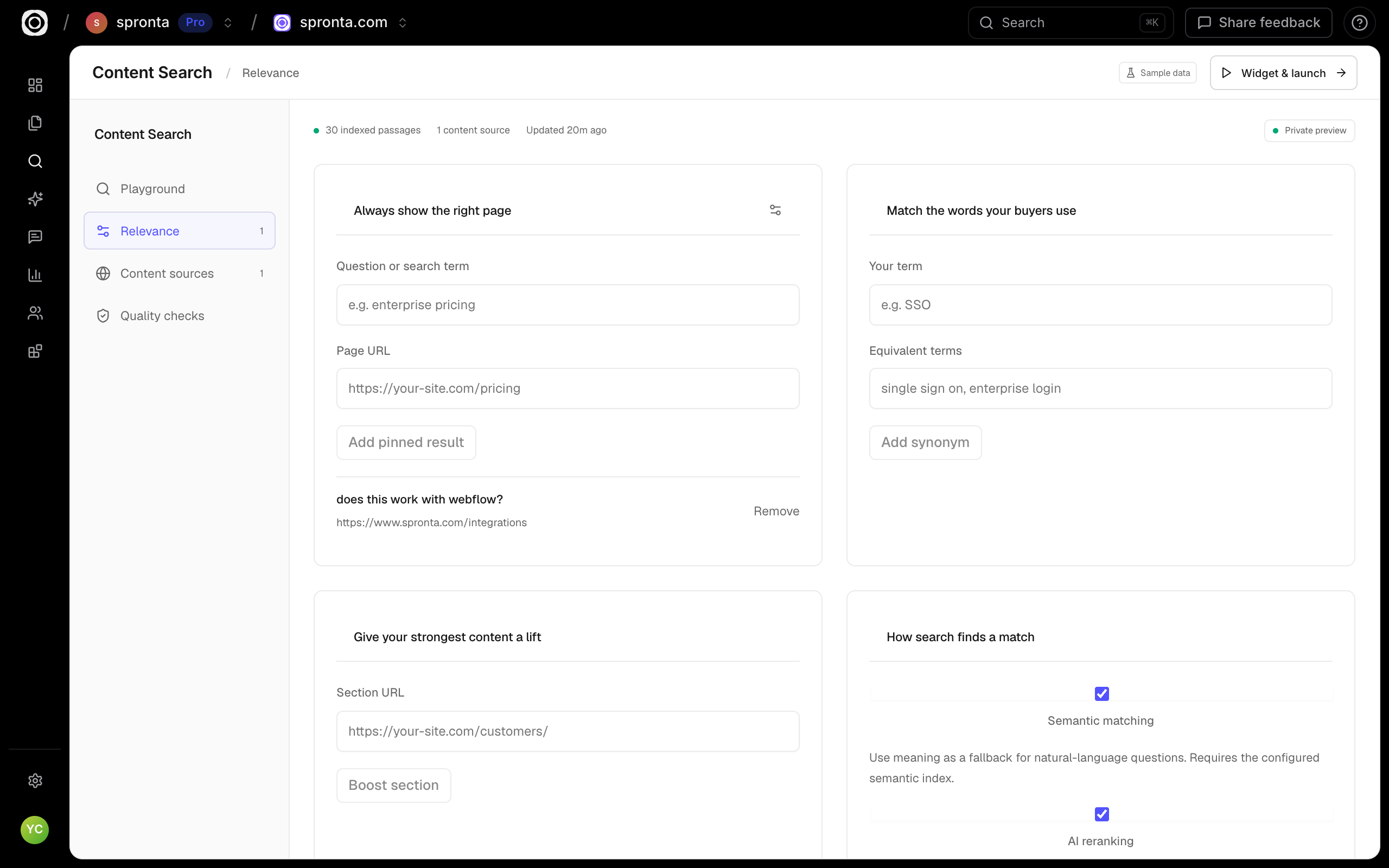
Your best page deserves more than a lucky match.
Give the right content a deliberate place in the results. Tune how your search behaves without handing a list of changes to engineering.
- Pin a page for an exact buyer question
- Add synonyms and boost useful URL sections
- Configure semantic matching and AI reranking
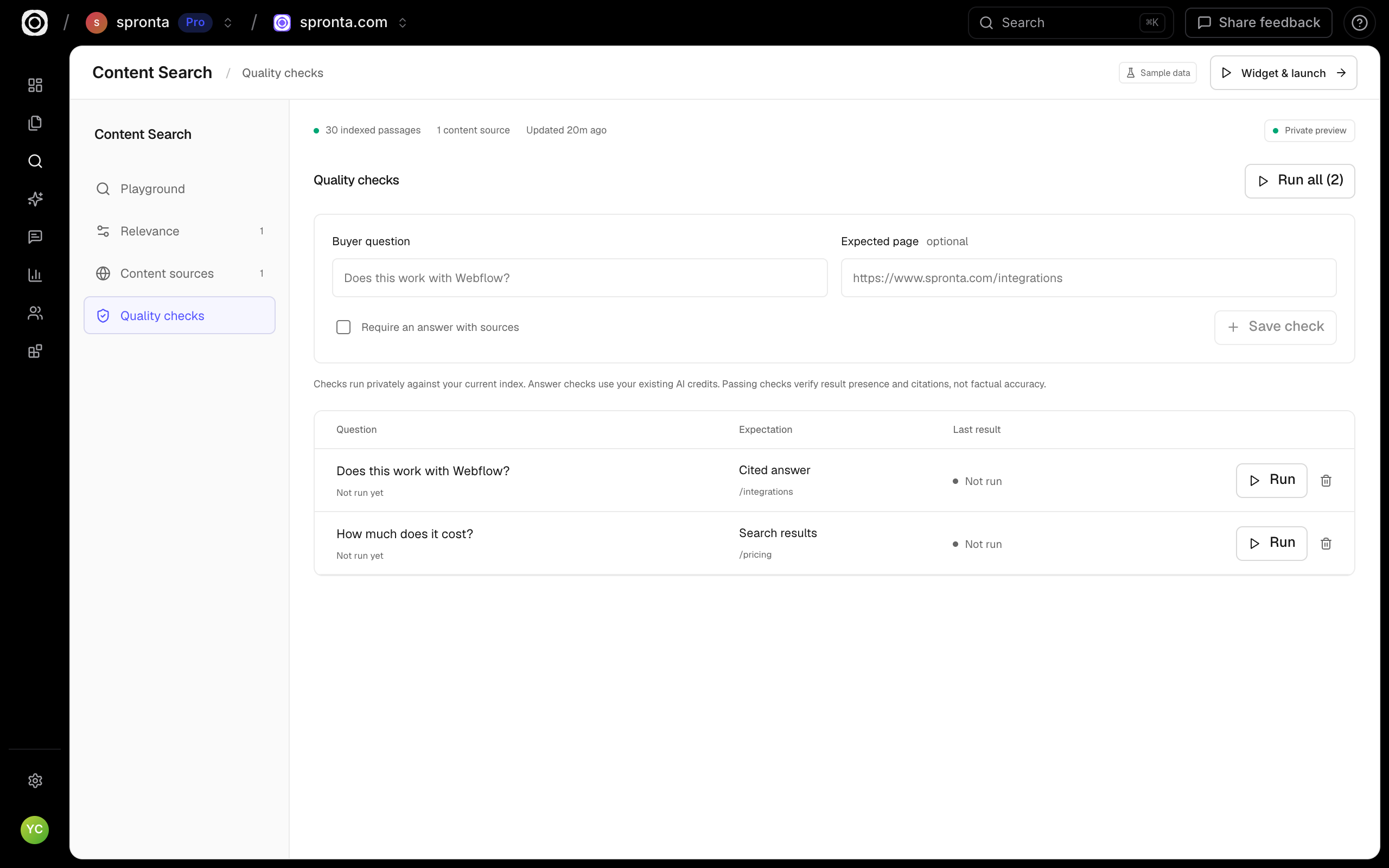
Keep a check on the questions that matter.
Turn a real buying question into a saved quality check. Define the page you expect to appear, rerun the check and inspect the result before sharing your search.
- Save questions directly from the playground
- Check expected URLs and answer requirements
- Keep private tests out of buyer analytics
Simple to use.
Room to go deeper.
A little typo? No problem.
Combine keyword precision, typo tolerance, and semantic matching to help visitors find what they mean.
One search. Your whole world.
Bring several sites into one index, or narrow it to just your docs, blog, or resource hub.
Feels like part of your site.
Choose your accent, density, corners, and theme. Install the generated snippet or build with the search API.
Bring your content.
We’ll help it go further.
Find your platform ↗- 01
Connect
Choose your published website and the routes to include.
- 02
Make it yours
Test your content, configure the experience and review the widget.
- 03
Keep learning
Install the snippet and explore real visitor activity.
Less “where is that page?” More finding it.
For teams who want their docs, blog and website to be easier to search. Keep your CMS, choose the pages, then install a widget or use the API.
Shopping around? Fair enough.
Here’s where we fit.
| The useful details | Spronta Smart Search | Algolia Grow | AddSearch Keyword Search |
|---|---|---|---|
| Entry price | 10,000 requests free each month | 10,000 requests included each month | $119/month, billed annually |
| More searches | $0.40 per additional 1,000 requests | $0.50 per additional 1,000 requests | Depends on plan allowance |
| Getting it on your site | Connect a crawl, configure the widget, paste the snippet | APIs, UI components and a crawler | Hosted site search and implementation support |
Spronta crawling and refreshes have separate usage limits. Algolia also prices extra records and crawler usage separately. Plan limits and features differ; these are entry points, not equivalent bundles.
Public information checked 27 October 2026. Algolia pricing ↗ · AddSearch pricing ↗
A search bar. Not a sales call.
Start with 10,000 free searches every month. Move the slider to see what more traffic costs.
Requests from your widgets, API and dashboard tests share one workspace allowance. Crawling and content updates have separate usage limits.
Compare all product prices ↗No card needed for the free Search allowance.
Enter a whole number from 10,000 to 10 billion.
Start with Search →Estimate for this product only. Your selection carries through to signup.
Good questions. Clear answers.
A closer look at Spronta Smart Search.
How does Spronta get my website content?
Create a search index from a monitored site or a saved crawl report. You can include specific routes and combine multiple sources in one index.
Will new pages appear automatically?
Indexes connected to a monitored site rebuild after its completed crawls. Freshness follows your crawl schedule; publishing alone does not instantly update the index.
Can I customize the search experience?
Yes. The Install tab lets you configure appearance, result count, content filters, and answer behavior, then generates your embed snippet. A public search API is also available for custom interfaces.
Can I control which results appear?
Yes. Pin a URL for an exact query, boost routes, hide URL prefixes, and configure semantic matching and reranking. Test the result with your own content.