Platform update · Content Topics
Topics: a map of what your site actually owns
· by Sean Ryan

Google runs a system literally called topic authority: it looks for sources with demonstrated expertise in a subject area and surfaces them ahead of sites that publish one drive-by post about everything. Officially it’s scoped to news, but the quality rater guidelines ask for the same thing everywhere else — depth in topics where you’ve earned trust beats a little bit of everything.
Which raises a rude question: do you know which topics those are?
Now you do
Topics clusters every page and every search query on your site into themes, then plots them on a map with three rings: You own this, Within reach, and Gaps to close. Solid hexagons are pages you’ve written. Dashed ones are content you haven’t — yet.
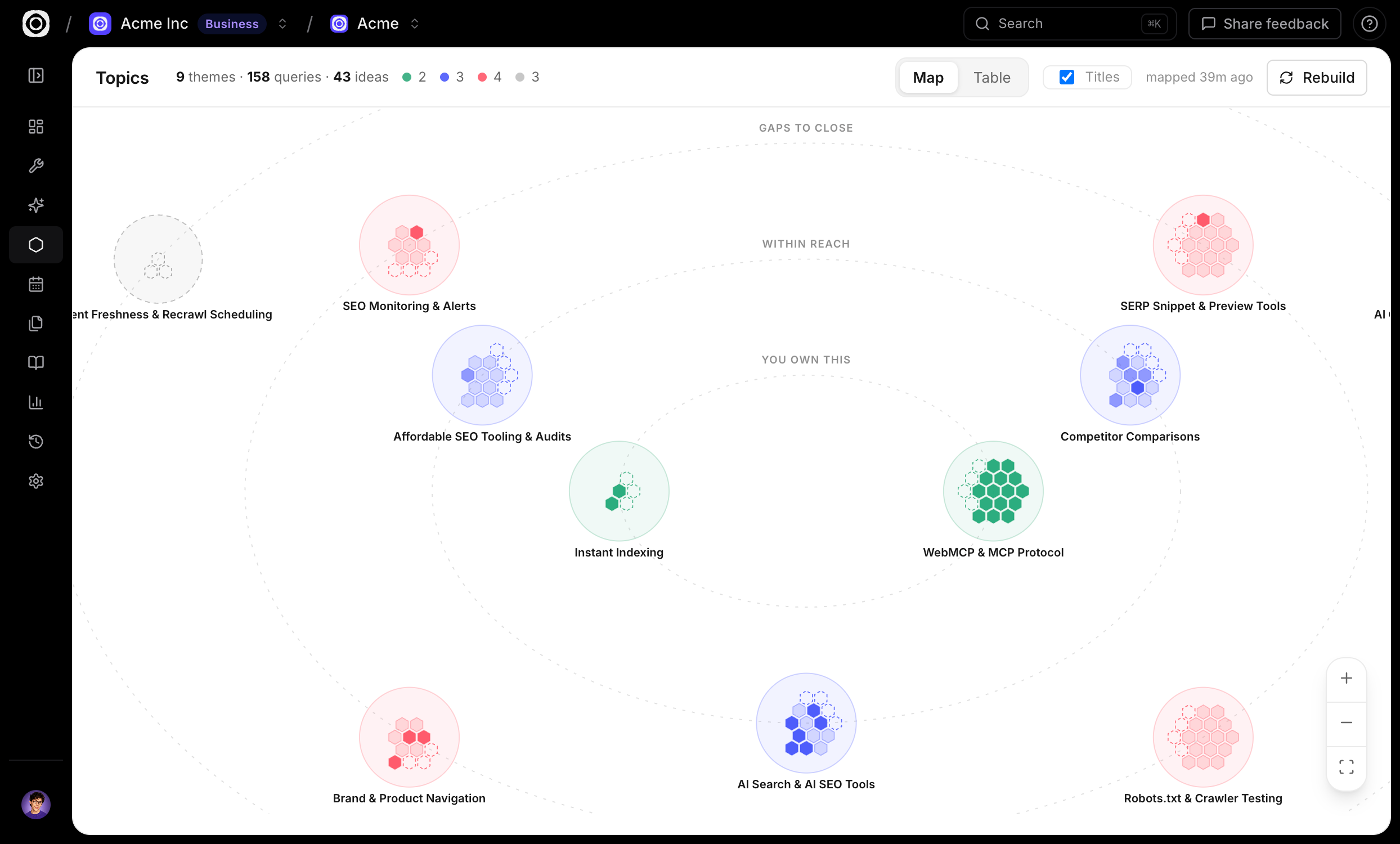
No guesswork behind the pretty hexagons, either. Each theme is scored with your real numbers: impressions, clicks and positions from Search Console, whether people actually read the pages (via the Content Engagement snippet), and AI citations from Visibility tracking. So “Strong” means strong, and “Gap” means Google is sending you impressions for a topic you’ve barely written about — which is the algorithm politely asking for more.
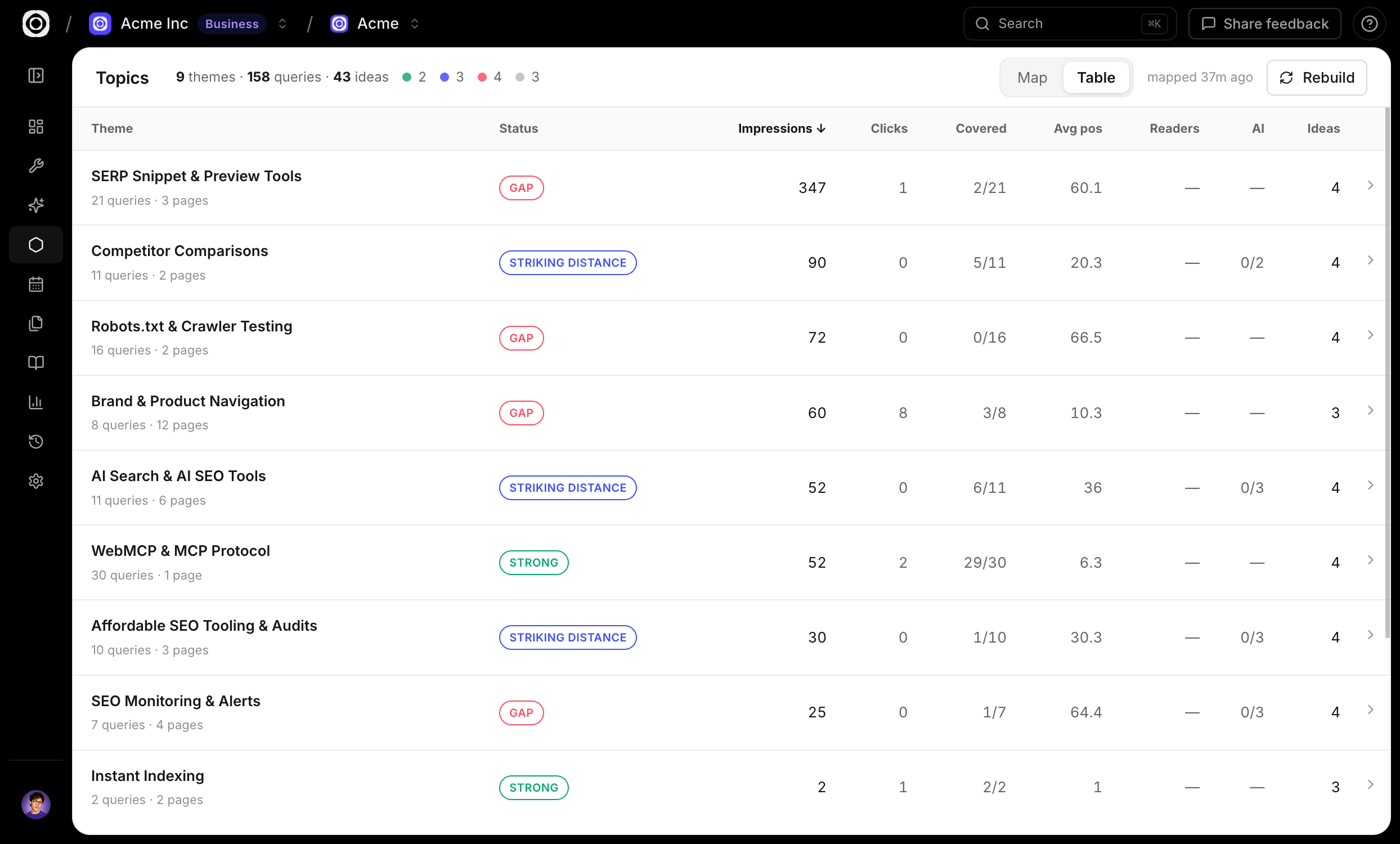
Every theme comes with content ideas — the specific pieces to write next to expand your hold on it. Our own map surfaced 43. We have some typing to do.
Prefer rows to rings? There’s a table view. It sorts. We know our audience.
It’s live now in app.spronta.com — open the Topics tab, hit Rebuild, and see what your site is actually about. Then tell us what your map looks like via Share feedback in the app. Especially if it’s all red. We can help with that part.